Charge Expert
Smarter Android charging with live battery data, estimated completion times, charge targets, reminders, short charger tests and local history.
See how your phone charges
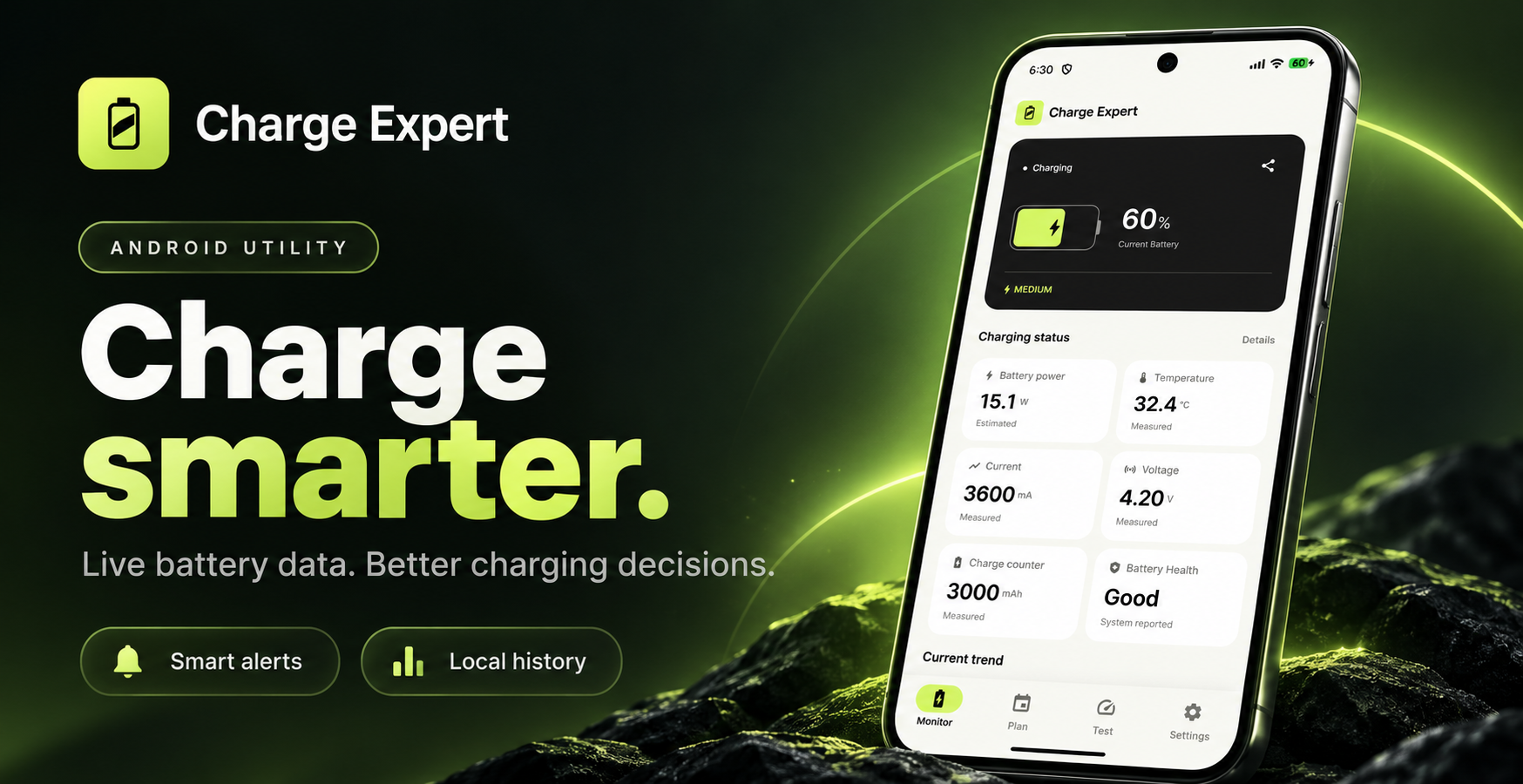
Charge Expert gives you a clear view of what is happening when your Android device is charging. Instead of guessing when it will be ready, check the current battery level, charging current, battery-side power, voltage, temperature and the estimated time to your chosen goal.
The interface is designed to be easy to read at a glance, with simple charging status cards and deeper technical details when you want them.
What you can do
- Monitor charging live. See the battery level, current, voltage, battery-side power, temperature and charging source. Some measurements depend on what your device reports.
- Estimate a finish time. Get adaptive estimates for reaching full charge or a selected target. Times may change as your phone warms up, you use it, or the charging speed changes.
- Plan around your day. Estimate how much charge you can gain in a set amount of time, plan toward a target percentage, or check whether an overnight charge is likely to finish before you wake up.
- Set helpful reminders. Enable a target-level alert or a high-temperature warning, and choose an Android system alert sound. Notifications and optional background monitoring depend on device permissions and settings.
- Test charging performance. Run a short measurement session to compare charging behavior and review the recorded average power, current, voltage and temperature change.
- Review local history. Look back at previous charging sessions and saved test results on your device. You can remove the history in the app.
Made for practical decisions
Charge Expert estimates and notifies; it cannot physically stop charging or control the phone’s charging circuitry. Power figures are battery-side measurements or estimates, not claims about the charger’s advertised output. Sensor and cycle-count availability varies by Android device.
You do not need to create an account to use the app’s core charging tools.
Common questions about Charge Expert
Can Charge Expert stop my phone charging at 80%?
No. The app can alert you when your chosen battery level is reached, but it cannot physically stop the charger or control the phone’s charging circuit.
Why does the estimated charging time change?
Charging speed varies with battery level, temperature, device activity and charger behavior. Charge Expert updates its estimate using observed charging information, so the expected finish time may change during a session.
Does the displayed power match the charger’s advertised wattage?
Not necessarily. The app reports battery-side measurements or estimates. Actual adapter output and conversion losses can differ.
Privacy and transparency
Charging measurements, charging-session history and your settings are handled in the app’s local storage. The release app also uses Google AdMob for banner advertising and Firebase services for usage analytics and crash diagnostics. Those services may process technical and advertising-related information. We do not intentionally include charging measurements or user-entered charger names in custom analytics events.
For details about permissions, advertising choices, data storage and deletion, read the Charge Expert Privacy Policy.